AGi32 Overview - Instabase Photometric Library
Some users may already have a substantial quantity of photometric files stored on their computer systems. AGi32 can access your existing library of photometric files easily using the Select command from within the Luminaire Define dialog. While AGi32 will read photometric files from any location, the real power of photometric selection is more truly realized when using our online Instabase® tool with photometry constantly maintained by manufacturers. Each manufacturer participating has prepared their data for optimal presentation with AGi32 by breaking down their products into categories, incorporating photographic images, relevant web links and even custom luminaire symbols (not all manufacturers have taken all steps yet). This makes product selection faster, easier, more accurate, and fun!
Accessing manufacturers photometry from the Instabase
You can access a large group of diverse manufacturers photometry from our cloud-based Instabase® system. Use the following links to learn more.
To access photometry from the Instabase System, select the
Luminaire Define command from the Luminaire toolkit. Now
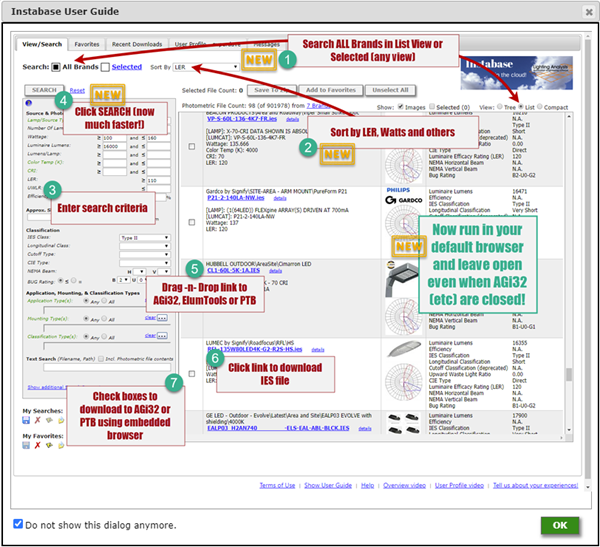
select the Instabase button at the top of the Luminaire Define dialog  . The first time you enter you will see the User Guide which is also available at the bottom of the Instabase form. Follow the numbered instructions in the Guide to start using the Instabase. If you need additional help, spend a couple of minutes watching one of our Instabase videos available at the bottom of the Instabase form, or from the link above titled "About the Instabase".